
AI Video Ads for an Online Shop: A Method That Fits in One Afternoon
How to turn one product photo into a week of video ads for TikTok, Reels and Facebook, with a shot list, the first three seconds, sizes and the mistakes to avoid.
Most small shops do not have a video problem. They have a volume problem. One good ad is not enough, because an ad gets tired after a week or two and the platform wants a fresh one. A film day for every new ad is not realistic, so the shop runs the same clip until it stops working.
This is the job AI video is good at: many short ads from the product photos you already have. Here is a method you can repeat every week.
Start with five ideas, not one
Before you make anything, write five different reasons someone would buy. Each reason becomes one ad. For a leather bag that could be:
- It fits a laptop and still looks like a handbag.
- The leather gets better with age.
- It is the bag in the photo everyone asks about.
- It is a gift that does not look last-minute.
- It replaces two bags you carry now.
Five reasons give you five ads to test. One of them will beat the others by a lot, and you cannot guess which.
Build each ad as four shots
A short ad is four shots of about two to three seconds each:
| Shot | What it shows | Example for the bag |
|---|---|---|
| 1. Hook | The problem or the result, with no logo | A laptop sliding into the bag in one move |
| 2. Product | The product, close and clear | The leather and the stitching, slow |
| 3. In use | A person using it | A model walking out of a café with it |
| 4. Close | The product alone, plus the offer | The bag on a plain background with your line of text |
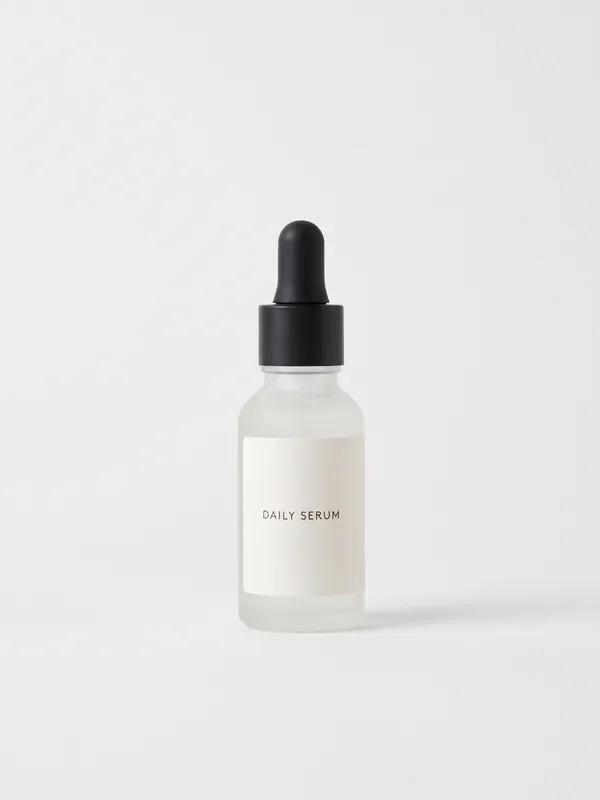
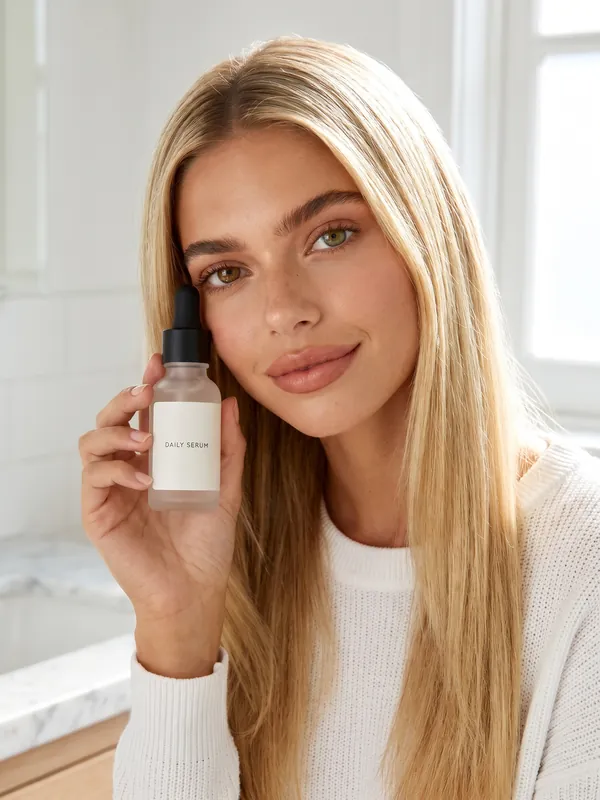
In Aiphoria, Product film from one photo does this in one run: you add the product photo, write the story in a line or two, and it draws four storyboard frames, makes a clip from each and joins them. If you want a person in shot 3, Product with a model gives you the model holding, wearing or using the product.
| The product photo | The same product, held by a model |
|---|---|
 |  |
Spend your effort on the first three seconds
People decide to keep watching or scroll almost at once. So the first shot should move, and it should show the thing the ad is about. Three hooks that work for products:
- The result first. Show the packed bag, then how it got there.
- The surprise. Something the product does that people do not expect.
- The comparison. Two bags on the left, one on the right.
Do not open on your logo. Nobody stops scrolling for a logo.
Make the UGC-style version too
An ad that looks like a customer filmed it often does better than a polished one, because it does not look like an ad. With AI, the "customer" is a model you choose, so you can make several versions with different people without posting the product to anyone.
Keep these honest. Do not write fake reviews or put words in the mouth of a made-up customer. Show the product in use and let the product do the talking. TikTok asks you to label realistic AI-made content, and Meta adds its own label, so check each platform's rule before you publish.
Cut every ad to the right shape
One clip does not fit every placement.
| Placement | Shape | Size |
|---|---|---|
| TikTok, Reels, Shorts, Stories | Tall, 9:16 | 1080 × 1920 |
| Instagram and Facebook feed | 4:5 or square | 1080 × 1350 or 1080 × 1080 |
| YouTube and wide banners | Wide, 16:9 | 1920 × 1080 |
On tall video, keep text out of the top and the bottom of the frame, where the app puts its own buttons and captions. Video Shape turns a finished clip into another shape, cropped to fill or kept whole with soft sides. Logo on Video adds your logo to a corner of every clip you pick.
Sell in a second language
If you ship abroad, the same talking ad can run in another language. Translate a talking video keeps the same person and the same voice, with the lips matching the new words. Test it in one market before you translate everything.
Let an agent do it for you
You do not have to press every button yourself. Five ads in two shapes each is ten files, and an agent can make all of them from one request.
In Aiphoria. Open Workflows & Tools and switch on the Agent. Say what you want in plain words, for example:
Make a product film from this bag photo about fitting a laptop, add a shot of my model carrying it, then give me each clip tall for TikTok and square for the feed with my logo.
The Agent writes the workflow step by step. You read the plan and see what it will cost before anything runs, change a step if you want, and press Run. Save the workflow and next week it is one click.
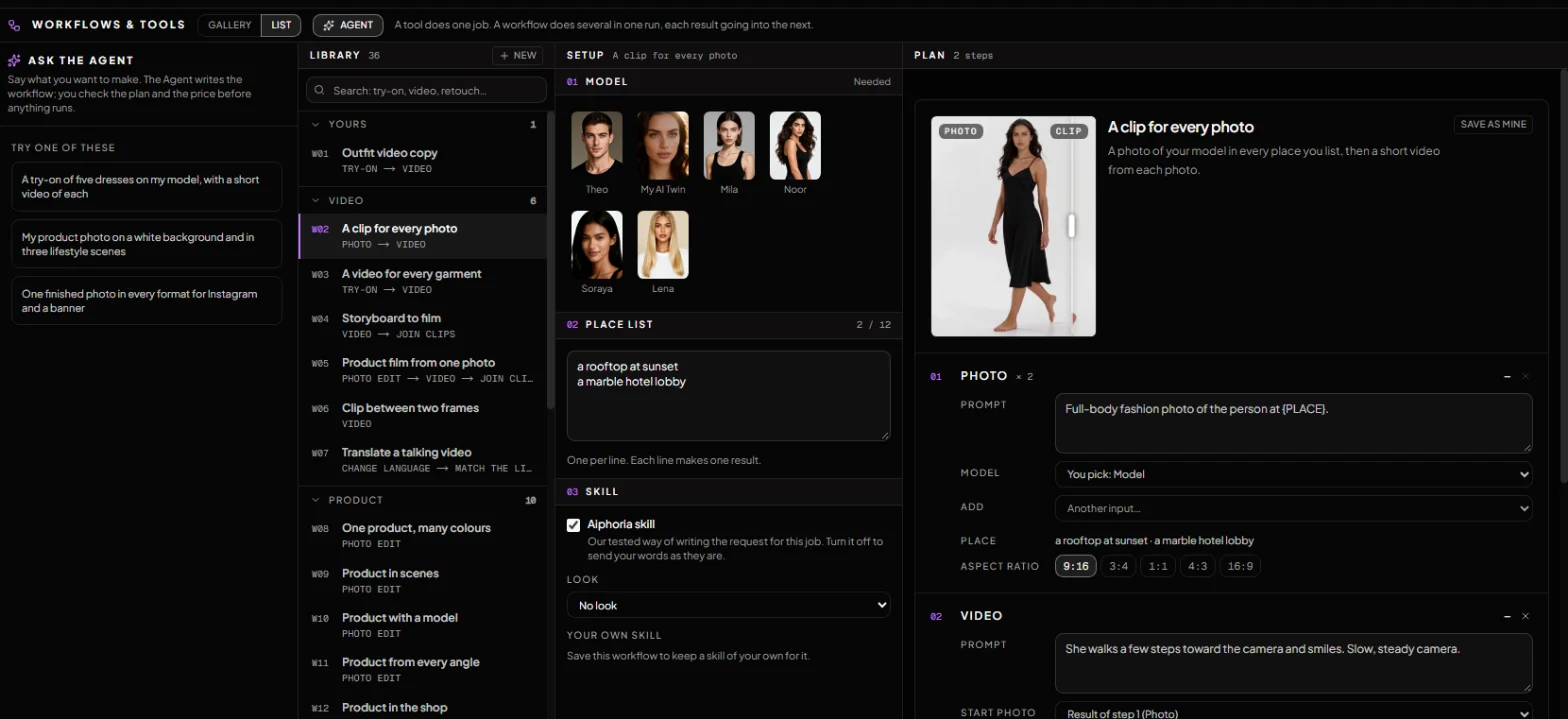
The Agent turns one sentence into a plan you can check before it runs.
In Claude or ChatGPT. Add the Aiphoria MCP connector once, then ask in the chat you already use. The assistant uploads your photo, runs the same tools and workflows, and gives you the links to the results. Setup takes a minute: Claude or ChatGPT.
Skills the agent uses for this job: Product film, Product with a model, Translate a talking video.
Five mistakes that waste a week
- One ad, many edits. Changing the music is not a new ad. A new reason to buy is.
- A blurry source photo. The clip can only be as clear as the photo you start with.
- Text nobody can read. Six words on screen, large, for at least two seconds.
- No close-up. People want to see what they are buying.
- Judging too early. Give each ad a few days and the same budget before you pick a winner.
A weekly routine
Monday: write five reasons to buy. Tuesday: make the five ads and cut each to tall and square. Wednesday to Sunday: run them side by side. The next Monday, keep the best one, drop the rest and write five more.
Everything in this method starts from one product photo. See AI video ads for the tools in one place, or browse the video templates to start from a clip that is already trending.